Container with datalog
To facilitate debugging of FMUs assemblies, the datalog feature is extremely helpful. 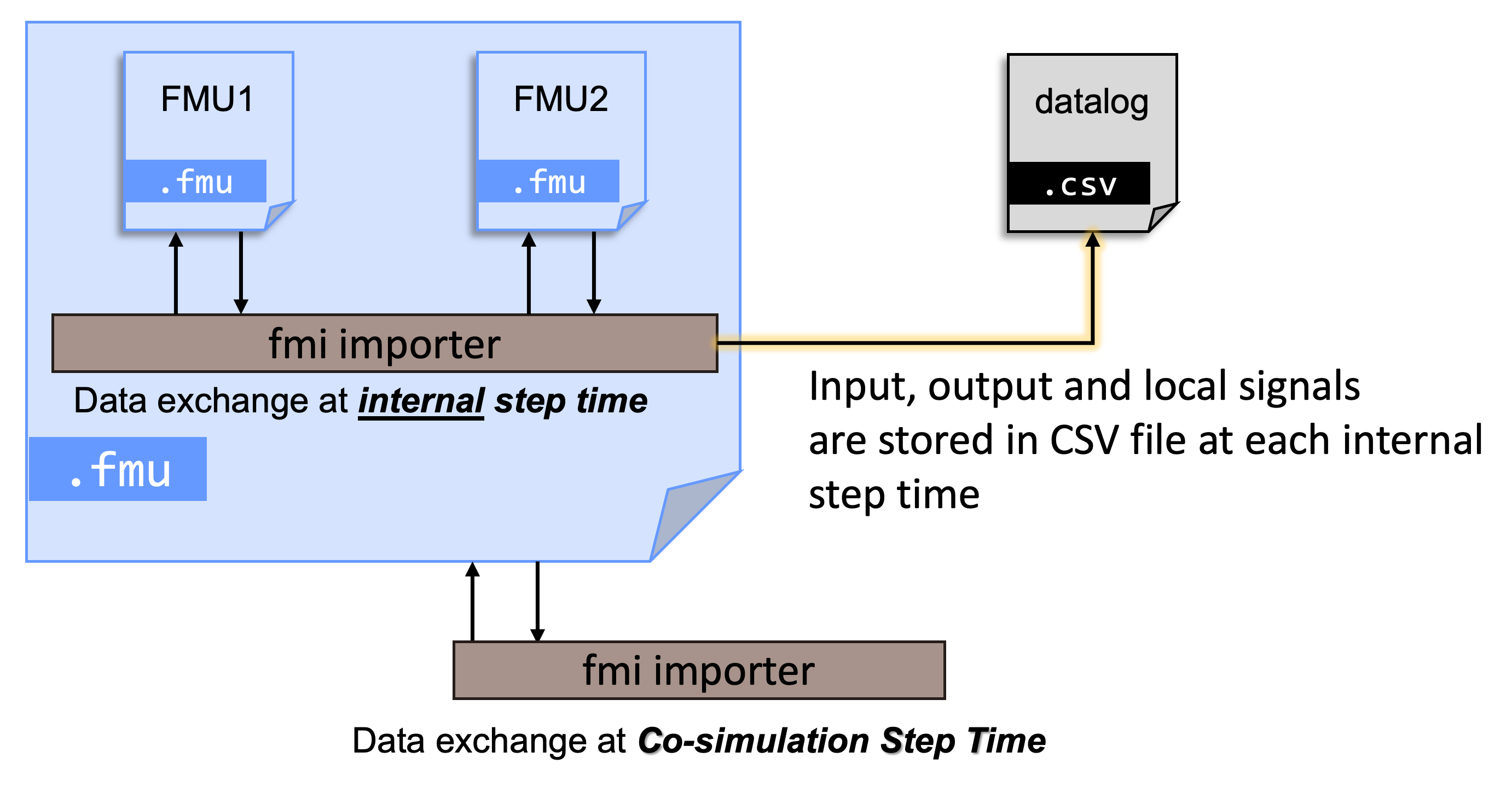
You can enable datalog in two ways:
- CLI: add the
-datalogoption to thefmucontainercommand. - GUI: in FMU Container Builder, open Configuration and check Enable Datalog before saving.
When enabled, a CSV file is automatically generated. The file name is derived from the FMU container’s name and contains the values of all signals exchanged during the simulation, recorded at each container time step. The file is up to date at the end of each communication step (each fmi2DoStep / fmi3DoStep of the container): it can be read during the simulation, and a crash of the simulation tool loses the current step at most.
CSV format
- The first line holds the names of the columns:
time, then one column per signal. - Each following line is one container time step; an Event Mode adds a row at the same time, with the ticks of the clocks. The first two rows are at the start time: the first one has the values read when the embedded FMUs leave their Initialization Mode, e.g. the FMI-LS-BUS operations they prepared in it and send in their first Event Mode. Real values are written with every significant digit (17 for
Float64, 9 for aFloat32): the values read back from the file are exactly those of the simulation. - The file follows the locale of the simulation tool. With a decimal comma, the reals are written with a comma, and the columns are separated by a semicolon:
0,25;2,5. Otherwise, reals are written with a dot, and columns are separated by a comma:0.25,2.5. The separator is chosen when the file is created: a tool that changes its locale during the simulation mixes both. - A string, or a column name, that contains the separator of the columns, a double quote or a line break is enclosed in double quotes, its double quotes being doubled (RFC 4180):
"a[1,2]","say ""hi""". Spreadsheets and the Pythoncsvmodule read it as one field. - Binaries are written in hexadecimal, booleans and clocks as
0or1. A binary clocked by a clock keeps its last value on the other rows: only read it on the rows where its clock is1. A clock is1on one row per tick. - Input clocks linked together share one column, named after the one that ticks by itself:
bus.Node1.Tx_Clock.