 
-
Quick Start
Get up and running with FMU Manipulation Toolbox in minutes
-
Installation
Install on Windows, Linux, or macOS with pip or from source
-
User Guides
Learn to use the GUI, CLI, or Python API
-
Examples
Explore practical use cases and ready-to-use solutions
Overview
FMU Manipulation Toolbox is a comprehensive Python toolkit designed to analyze, modify, and combine Functional Mock-up Units (FMUs) without requiring recompilation. Built for engineers and developers working with FMI-compliant models, it provides three powerful interfaces:
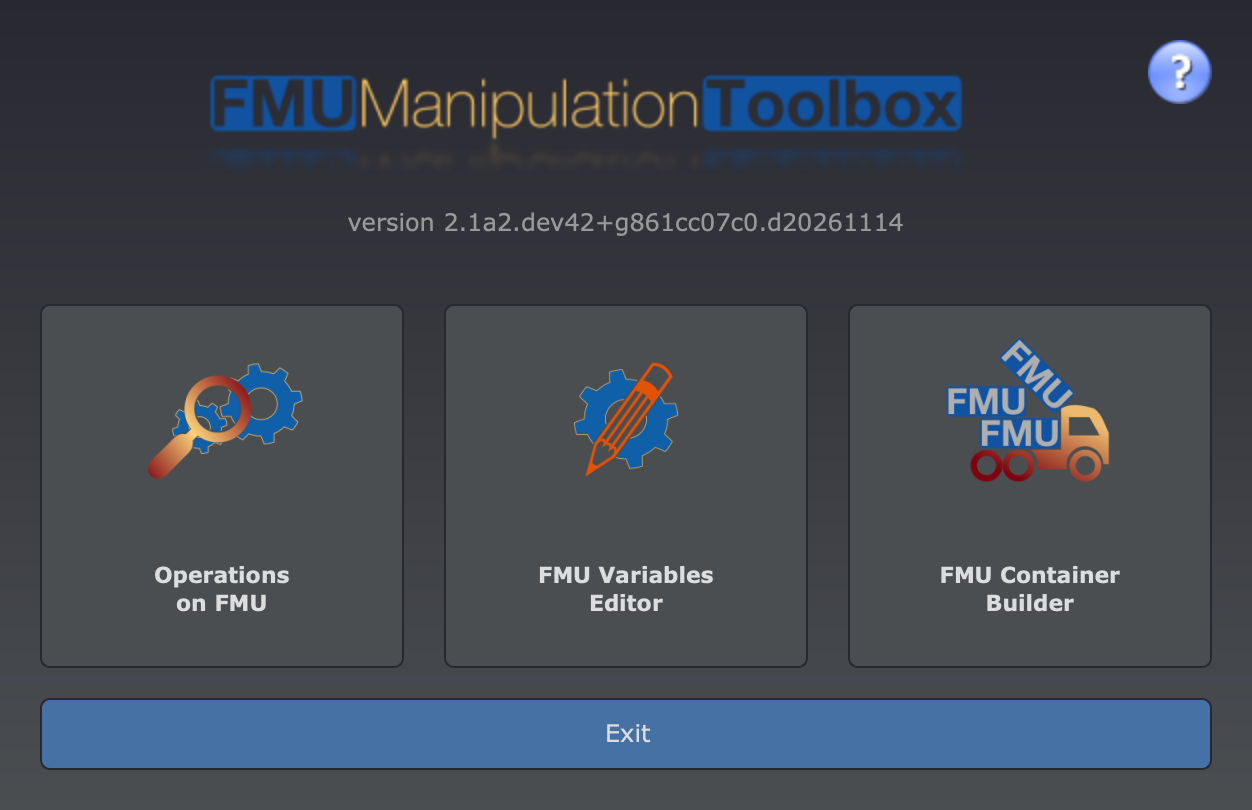
Three dedicated GUI tools for interactive manipulation:
- FMU Tool (
fmutool-gui): analyze, modify, and transform FMUs - FMU Variable Editor (
fmueditor): rename variables and edit descriptions - FMU Container Builder (
fmucontainer-gui): visual node-graph editor to assemble FMU containers
Launch them all from the FMU Toolbox Launcher (fmutoolbox).
Ideal for automation, scripting, and integration into build pipelines.
from fmu_manipulation_toolbox.operations import FMU, OperationStripTopLevel

fmu = FMU("module.fmu")
fmu.apply_operation(OperationStripTopLevel())
fmu.repack("module-flat.fmu")
Full programmatic control for complex workflows and custom integrations.
{
  "mcpServers": {
    "fmutool": {
      "command": "fmutool-mcp",
      "args": ["--root", "/path/to/my/fmus"]
    }
  }
}
Let an AI agent assemble FMU containers through an MCP server, standalone (fmutool-mcp) or driving the live Container Builder window.
Key Features
-
FMU Analysis
- List all ports and their attributes
- Validate
modelDescription.xmlagainst XSD schema - Check FMI compliance and custom rules
- Replay the reference experiments of an FMU and compare its results (FMI-LS-REF)
- Extract statistics and metadata
-
FMU Modification
- Rename ports individually or in batch via CSV
- Filter variables with regular expressions, by causality, type or variability
- Remove hierarchy levels
- Modify variable attributes
- Remove or compile the sources
-
FMU Containers
- Combine multiple FMUs into one, FMI 2.0 or 3.0
- Define automatic or explicit connections
- Embed Co-Simulation and Model-Exchange FMUs
- Multi-threading and performance profiling
-
Layered Standards
- FMI-LS-BUS: a network of CAN, LIN, FlexRay or Ethernet nodes in one container
- FMI-LS-XCP: measure and calibrate the FMUs inside a container
- FMI-LS-REF: check the results, not only the XML
-
SSP
- Read SSP files with their parameter values
- Write them from the CLI, the Python API or the GUI
- Architecture wires to sketch an assembly before its ports are known
-
AI Agents
- MCP server, standalone or driving the Container Builder
- Agent skills for Claude Code
fmutool-agent: the same tools as a JSON command line
-
Binary Interfaces
- Add 32-bit interface to 64-bit FMU (Windows)
- Add 64-bit interface to 32-bit FMU (Windows)
- Frontend mode for separate process execution
Supported Platforms & Standards
FMI Versions
- FMI-2 Co-Simulation
- FMI-3 Co-Simulation
- FMI-2 Model-Exchange
- FMI-3 Model-Exchange
Operating Systems
- Windows 10/11 (primary platform)
- Linux (Ubuntu 22.04+)
- macOS (Darwin)
Installation
Install with a single command:
This installs the CLI and Python API. To also get the Graphical User Interfaces (fmutoolbox, fmutool-gui, fmueditor, fmucontainer-gui), install the gui extra (pulls in PySide6):
Virtual Environment Recommended
For production use, we recommend installing in a virtual environment to avoid dependency conflicts:
For detailed installation instructions, platform-specific notes, and troubleshooting, see the Installation Guide.
Quick Example
Here's how to analyze and modify an FMU in just a few lines:
from fmu_manipulation_toolbox.operations import FMU, OperationRemoveRegexp

# Load and analyze
fmu = FMU("my_model.fmu")

# Display information about the FMU
fmu.summary()

# Remove internal variables
operation = OperationRemoveRegexp(r"^_.*")
fmu.apply_operation(operation)

# Save modified FMU
fmu.repack("my_model_clean.fmu")
Why FMU Manipulation Toolbox?
Key Benefits
- No Recompilation Required
- Modify FMUs without access to source code or compilation toolchain
- Multiple Interfaces
- Choose the interface that fits your workflow: GUI, CLI, or Python API
- Open Source
- BSD-2-Clause license allows both commercial and non-commercial use
What's Next?
-
New to FMU Manipulation Toolbox? Start here!
-
Deep dive into GUI, CLI, and Python API
-
Learn from practical, real-world scenarios
-
Find solutions to common issues
Community & Support
Get Help
FMU Manipulation Toolbox is maintained by Renault Group